Real infrastructure.
Real experience.
linuxcore.dev is written by Sergej — a Linux infrastructure engineer and SAP Basis architect who has spent 15+ years running production systems on Linux, AWS, and bare metal. This isn't a content farm. Every guide is tested on hardware that's actually running.
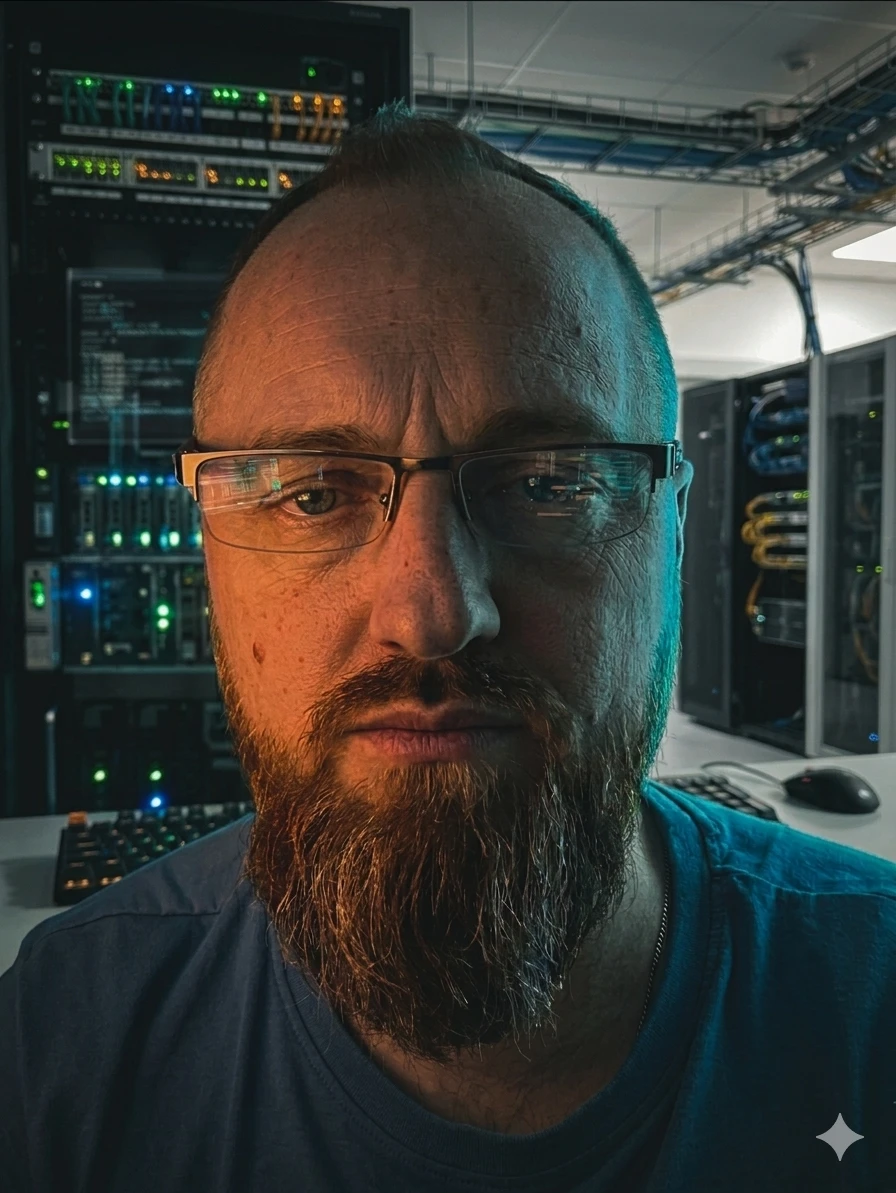
Background
I manage enterprise SAP landscapes for Deutsche Telekom — keeping them healthy, performant, and secure across both traditional on-premises environments and RISE with SAP on AWS. With over 10 years in SAP operations, I've worked across the full Basis stack: HANA database administration, S/4HANA, kernel and support pack upgrades, system copies, performance tuning, transport management, and user/authorization management.
I run Linux as my primary OS and use scripting, automation, and monitoring tools across all infrastructure. Before SAP, I built websites and ran a content platform — experience that gave me strong Linux, scripting, and business instincts I still rely on today.
What drives me is building systems that don't fail quietly — proactive monitoring, hardened configs, and infrastructure that stays out of the way. This site is where 15 years of production experience becomes guides you can actually run.
What I actually know
Core expertise: SAP Basis on Linux (HANA, NetWeaver, S/4HANA, Solution Manager), RISE with SAP on AWS, system copies, transport management, performance tuning, and 24/7 operational support across multi-country teams.
Infrastructure side: Linux system administration (SLES, Ubuntu, RHEL), AWS (EC2, S3, VPC, IAM, hybrid connectivity), Proxmox, Docker, Ansible, and the self-hosting stack covered on this site. The perspective here is always infrastructure-first — not developer tutorials dressed up as sysadmin guides.
15+ years in production Linux
Managing enterprise-scale SAP landscapes for Deutsche Telekom group — end-to-end Basis administration across production, QA, and development environments. HANA database administration, RISE with SAP on AWS, S/4HANA upgrades, kernel and support pack management, transport management, and system copies. Proactive monitoring with Solution Manager and custom tooling. 24/7 operational support coordinating cross-functional teams across multiple countries. Environment: S/4HANA, ECC, BW, Solution Manager, HANA, AWS, Linux (SLES).
Web design and development alongside main SAP career. JavaScript, CSS, and modern frontend tooling.
SAP Basis administration for enterprise clients (part of Deutsche Telekom group). HANA database administration including backup, recovery, and performance tuning. System upgrades, kernel patches, support pack stacks. Team lead responsibilities, incident management, and technical interface between production and service delivery. Environment: SAP NetWeaver, HANA, Oracle, Linux (SLES), Windows Server.
Built and ran a content platform for airbrush artists from scratch. Brand development, SEO, web design, and advertising revenue. The project that taught me Linux web hosting, scripting, and running infrastructure on a budget — long before homelab was a word.
IT operations support including job scheduling, print management, and system administration for enterprise clients. First exposure to large-scale IT environments. Parallel freelance web development in HTML, CSS, JavaScript, and PHP.
The actual homelab
Every guide on this site is tested on this hardware before publishing.
- Beelink EQ12 ProN100 · 16GB · Proxmox main node
- ThinkCentre M93pi5 · 8GB · Secondary / backups
- TrueNAS SCALEZFS RAIDZ1 · 4× WD Red Plus 4TB
- S3 GlacierOffsite restic backups · ~€2/month
- OPNsenseBeelink EQ14 · VLAN segmentation
- TP-Link 2.5GbETL-SG3210XHP-M2 managed switch
- TailscaleZero-trust remote access
- Ollama + Open-WebUILocal LLM (llama3.2, codellama)
- ImmichSelf-hosted Google Photos replacement
- Grafana + PrometheusFull homelab monitoring
- VaultwardenSelf-hosted Bitwarden
What makes this different
Most homelab content is written by developers. The guides here come from someone who ran production Linux for enterprises — which means the approach to reliability, monitoring, and security is different.
No guides are published from documentation alone. Every setup is deployed on real hardware first. If a command is in a guide, it has been run and checked.
Electricity costs, S3 storage costs, hardware prices — all cited in real euros based on actual bills, not estimates copied from other articles.
Every guide is free. The site earns through affiliate hardware recommendations and a paid Ansible bundle — both are clearly labelled and never distort the advice.
Ready to build something?
Browse all guides by topic, or jump straight to the homelab section.