If you’ve spent any time building a homelab NAS or setting up VM storage on Proxmox, you’ve already had the ZFS-vs-Btrfs debate with yourself at 11pm. Both are powerful. Both have sharp edges. Stratis is the third option most people skip over — and with the 3.9 release shipping improved encryption support via Clevis/Tang, it’s worth a serious look.
This guide covers what Stratis actually does, where it fits versus ZFS and Btrfs, and how to get it running with encryption on a standalone Linux server or Proxmox host.
What Stratis Actually Is
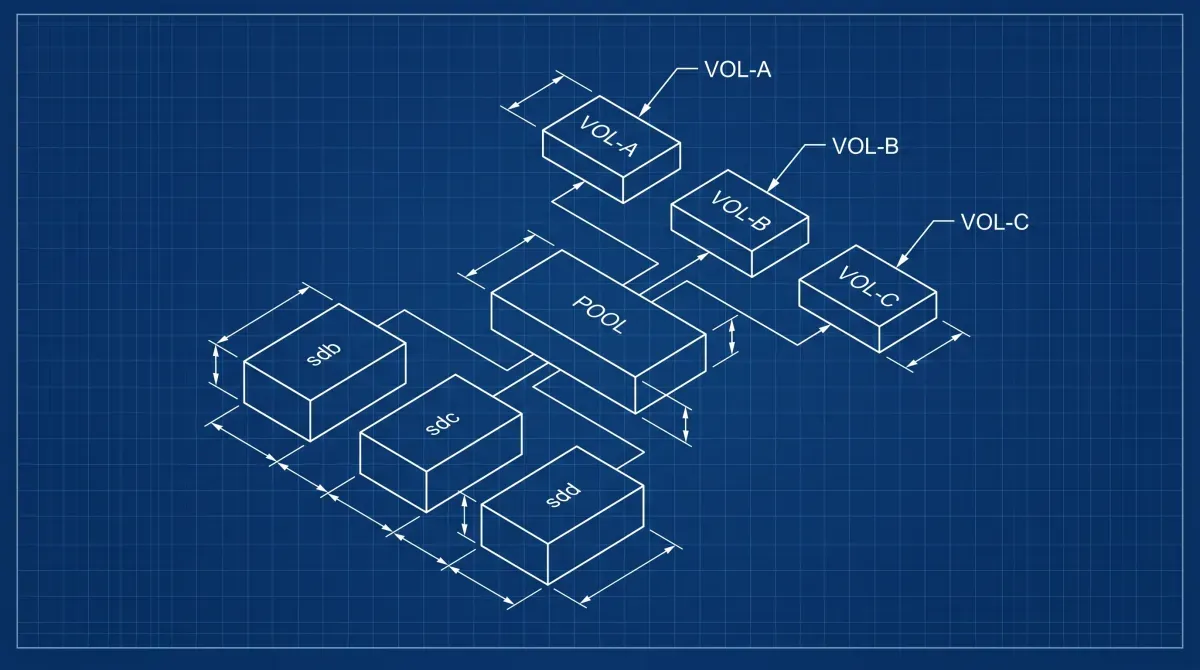
Stratis is a local storage management system for Linux. Under the hood it uses device-mapper and XFS — it’s not a new filesystem. Think of it as an opinionated management layer that gives you:
- Thin provisioning via device-mapper
- Snapshots (copy-on-write, writable)
- Pool-based storage with multiple block devices
- Encryption via LUKS2 with Clevis/Tang integration (hardware token or network-based unlock)
- Tiering support (NVMe cache + spinning disk data)
The key pitch: you get most of what you’d want from ZFS for day-to-day storage management without loading kernel modules, dealing with ARC tuning, or fighting licensing issues on some distributions.
Stratis vs ZFS vs Btrfs: Homelab Reality Check
| Feature | Stratis | ZFS | Btrfs |
|---|---|---|---|
| Filesystem | XFS (managed) | ZFS native | Btrfs native |
| RAID support | No native RAID | RAID-Z 1/2/3 | RAID 0/1/10 (RAID 5/6 unstable) |
| Snapshots | Yes (writable) | Yes (read-only + writable) | Yes |
| Encryption | LUKS2/Clevis (3.x+) | Native (OpenZFS 2.x) | No native (use LUKS underneath) |
| Send/receive | No | Yes | Yes |
| Kernel module | No (dm-based) | Out-of-tree (DKMS) | In-tree |
| Proxmox native | No | Yes | Partial |
| Learning curve | Low | High | Medium |
Where Stratis wins: Simple encrypted pool on RHEL/Fedora-family systems, thin provisioning without the ZFS overhead, Clevis/Tang network unlock for automated server boot.
Where ZFS wins: Multi-drive RAID with real data integrity checksumming, snapshot streaming for backup pipelines, large-scale NAS where ARC memory is worth tuning.
Where Btrfs wins: Single-drive or mirrored setups where you want subvolumes and snapshots baked into the filesystem on mainstream kernels, especially on openSUSE.
For a Proxmox homelab specifically: ZFS remains the better choice for VM disk images if you want snapshot-based backups via Proxmox’s built-in tooling. Stratis makes more sense as secondary storage for ISOs, bulk data, or an encrypted NAS mount point.
Installing Stratis
On Fedora, RHEL 8/9, or AlmaLinux:
sudo dnf install stratisd stratis-cli
sudo systemctl enable --now stratisd
On Debian/Ubuntu (less native, but functional):
sudo apt install stratisd stratis-cli
sudo systemctl enable --now stratisd
Confirm the daemon is running:
stratis daemon versionCreating a Basic Pool
Identify your target drives (use drives with no existing partitions or wipe them first):
lsblk
sudo wipefs -a /dev/sdb /dev/sdc
Create the pool and a filesystem:
sudo stratis pool create datapool /dev/sdb /dev/sdc
sudo stratis filesystem create datapool media
sudo mkdir -p /mnt/media
sudo mount /stratis/datapool/media /mnt/media
Add to /etc/fstab for persistent mount (use the UUID reported by stratis filesystem list):
/stratis/datapool/media /mnt/media xfs defaults,x-systemd.requires=stratisd.service 0 0Stratis 3.9 Encryption Setup
Stratis 3.9 shipped with improvements to Clevis/Tang-based encryption, making network-bound disk encryption (NBDE) more reliable for automated unlocking on headless servers. Phoronix covered the release details here.
Option 1: Simple passphrase encryption
# Create a key in the kernel keyring
sudo stratis key set --capture-key homelab-key

# Create an encrypted pool
sudo stratis pool create --key-desc homelab-key encrypted-pool /dev/sdd

# Create a filesystem on it
sudo stratis filesystem create encrypted-pool vms
sudo mount /stratis/encrypted-pool/vms /mnt/vms
The key lives in the kernel keyring for the session. On reboot, you’ll need to re-add it before mounting.
Option 2: Clevis/Tang network unlock (automated headless boot)
This is the 3.9 improvement worth caring about for homelabs. You run a Tang server (can be a cheap VM or container) and Stratis pools unlock automatically on boot when they can reach it.
Stand up a Tang server (Docker Compose):
version: "3.9"
services:
  tang:
    image: latchset/tang
    container_name: tang
    ports:
      - "7500:80"
    volumes:
      - tang-keys:/var/db/tang
    restart: unless-stopped

volumes:
  tang-keys:
docker compose up -d
# Get the Tang server thumbprint
curl -sf http://localhost:7500/adv | jose fmt -j- -g payload -y -o- | jose fmt -j- -g keys -A -o- | jose jwk thp -i-Create a Clevis-bound encrypted Stratis pool:
# Install clevis integration
sudo dnf install clevis clevis-luks clevis-dracut

# Create pool with Clevis Tang binding
sudo stratis pool create \
  --clevis '{"pin":"tang","config":{"url":"http://192.168.1.50:7500"}}' \
  secure-pool /dev/sde

sudo stratis filesystem create secure-pool backups
On reboot, as long as the Tang server is reachable, the pool unlocks without a passphrase prompt. If the Tang server is unavailable, it falls back to a recovery passphrase you set at creation time.
Taking and Using Snapshots
# Create a snapshot
sudo stratis filesystem snapshot secure-pool backups backups-snap-$(date +%Y%m%d)

# List filesystems and snapshots
sudo stratis filesystem list

# Mount a snapshot read-write
sudo mkdir /mnt/snap
sudo mount /stratis/secure-pool/backups-snap-20260428 /mnt/snap
Snapshots are writable and space-efficient. They don’t replace a real backup strategy — use them for quick rollbacks before risky changes.
Adding a Cache Tier (NVMe + HDD)
If you have an NVMe drive and spinning disks:
sudo stratis pool add-data datapool /dev/sdb /dev/sdc    # HDDs
sudo stratis pool init-cache datapool /dev/nvme0n1p4     # NVMe partition
Stratis handles the bcache-based tiering automatically. Frequently read blocks get cached on NVMe, writes go to the faster tier first.
Monitoring Pool Health
# Pool overview
stratis pool list

# Filesystem usage
stratis filesystem list

# Detailed blockdev info
stratis blockdev list datapool
There’s no built-in alerting — wire it into your monitoring stack (Prometheus node exporter picks up underlying dm-thin metrics, or script a cron job parsing stratis pool list output).
Recommended hardware
NAS drives I trust for homelab storage (affiliate links — they help fund the site at no extra cost to you):
- WD Red Plus 4TB NAS HDD
- Seagate IronWolf 4TB NAS HDD
- Synology DS224+ NAS — if you want a turnkey enclosure
What’s Next
- Proxmox VE Homelab Setup — set up the host your storage VMs run on
- Grafana + Prometheus Monitoring — alert on pool capacity and disk health
- /homelab/linux-nas-build — Building a DIY NAS on Linux with drive health monitoring and SMART alerts
- /homelab/luks-encryption-linux — Full disk encryption on Linux servers with LUKS2 and automated unlock strategies
[discussion]
Comments are powered by Giscus — backed by GitHub Discussions. Sign in with GitHub to join the conversation.